
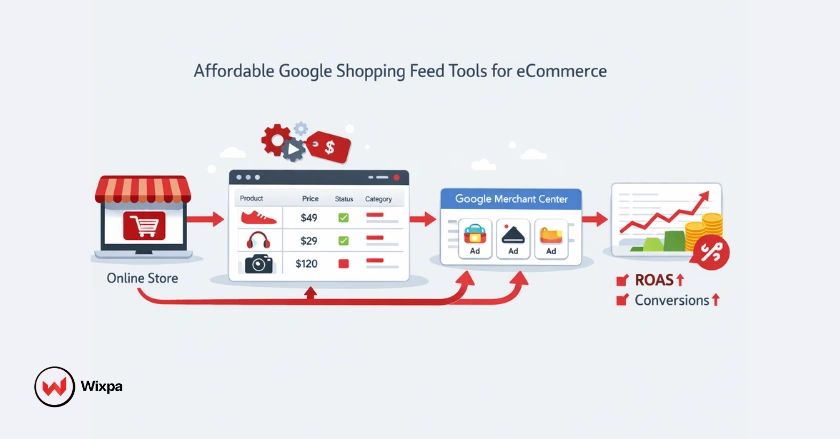
Getting your products in front of the right shoppers on Google doesn’t have to drain your ad budget. Affordable Google Shopping feed tools exist for every business size, from solo Shopify sellers to growing eCommerce brands, and the right one can meaningfully improve your product listings, click-through rate, and overall return on ad spend.
But with so many options out there, how do you know which tool is actually worth paying for? This guide breaks down what to look for, when to upgrade from free options, and which affordable feed management tools deliver the most value without the enterprise price tag.
Quick Summary
Affordable Google Shopping feed tools help you manage and optimize your product data feed without overspending. Free options like Google Sheets work for beginners, but paid tools offer automation, bulk editing, and better feed optimization. Wixpa Google Shopping Feed is a standout budget-friendly option for Shopify merchants. Choose based on your catalog size, technical comfort level, and growth goals.
Why Your Google Shopping Feed Is Your Most Valuable Asset?
Your Google Shopping feed is the engine behind every product listing you run. It tells Google what your products are, how much they cost, whether they’re in stock, and how relevant they are to a shopper’s search query. A messy, incomplete, or outdated feed directly hurts your conversion rate and impression share, no matter how well-crafted your Google Ads campaigns are.
The good news? You don’t need a $500/month enterprise platform to keep your feed in shape. With the right affordable tool, even small eCommerce businesses can compete on Google Shopping SERPs.
What Is a Google Shopping Feed?
A Google Shopping feed is a structured file submitted through Google Merchant Center that contains all your product data: titles, descriptions, prices, images, GTINs, and more. Google uses this data to match your products with relevant searches and display them as Google Shopping ads.
The Free Starting Point: Google Sheets and Google Merchant Center
If you’re just getting started, Google gives you two free tools that can take you surprisingly far.
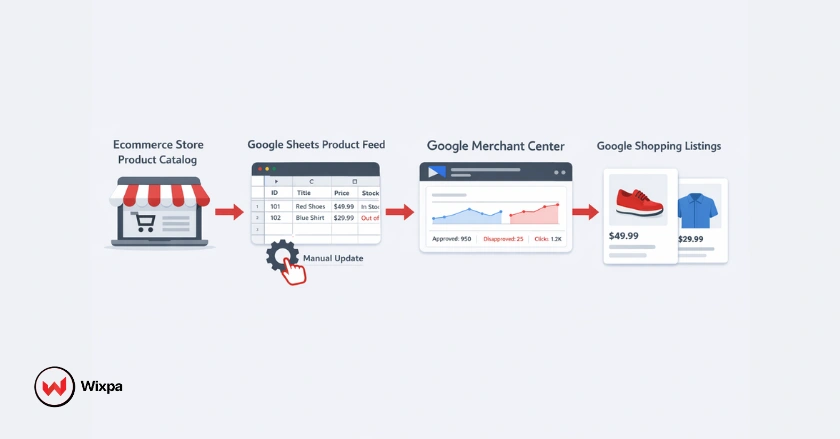
Google Merchant Center is the hub for all your product data feeds. You can manually upload products, connect your eCommerce store, or submit a feed via scheduled fetch. For small catalogs (under 100 products), this works well.
Google Sheets can be used as a feed source. You build a spreadsheet using Google’s required attributes, then link it directly to Merchant Center for automatic syncing. It’s a practical option if you’re comfortable with spreadsheets and have time to manage updates manually.
The Limits of DIY Feed Management
- No automated rule-based optimization
- Manual bulk editing is time-consuming and error-prone
- Feed errors are easy to miss without proper error reporting
- Product updates don’t sync in real-time
- No support for custom labels or advanced segmentation
Once your catalog grows or your ad spend scales, these limitations become real obstacles.
When Do You Actually Need an Affordable Feed Tool?
Most merchants hit a tipping point where manual feed management stops making sense. Here are the clearest signs:
- Your product catalog has more than 100–200 SKUs
- You’re spending meaningful money on Google Shopping campaigns and not seeing expected returns
- You’re regularly seeing feed errors in Merchant Center
- Your product titles and descriptions aren’t optimized for search
- You want to expand to additional channels like Microsoft Ads or Facebook Advantage+ Shopping
- You’re losing time each week to manual data updates
At this stage, even a modest investment in a feed management tool typically pays for itself quickly through improved performance.
What Does “Affordable” Really Mean in Feed Management?
“Affordable” is relative, but for most small-to-mid-sized eCommerce businesses, a budget-friendly feed tool falls in the $0–$50/month range. Some tools offer free plans with core features, while others charge based on catalog size or number of channels.
What you want to avoid is paying for features you’ll never use. Many enterprise platforms charge hundreds of dollars per month for advanced campaign management, multi-country feed structure support, and AI-powered feed generation features that most growing businesses simply don’t need yet.
The sweet spot: a tool that handles feed submission, real-time sync, product title optimization, and basic error reporting without locking essential features behind expensive tiers.
Essential Features of Budget-Friendly Google Shopping Feed Tools
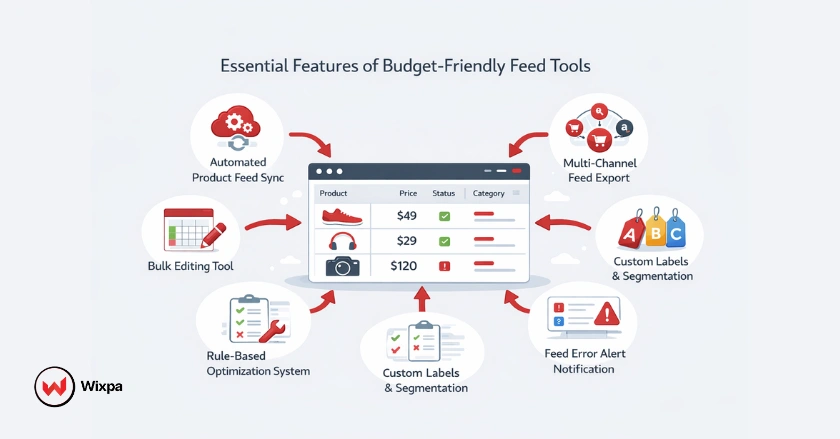
When evaluating any affordable feed tool, prioritize these core capabilities:
- Automated feed syncing. Product updates should flow to Merchant Center without manual intervention
- Bulk editing: Make changes across hundreds of product listings at once
- Rule-based optimization: Apply conditional rules to product titles, descriptions, or custom labels automatically
- Feed error reporting: Quickly identify and fix issues that could get your products disapproved
- Channel templates: Pre-built mappings for Google, Microsoft Ads, and other channels
- Custom labels: Segment products by margin, seasonality, or performance for smarter bidding strategies
- Product enrichment: Tools that help fill in missing attributes like GTINs, product categories, or product images
Top Affordable Google Shopping Feed Tool Options
1. Wixpa Google Shopping Feed (Best for Shopify Merchants)
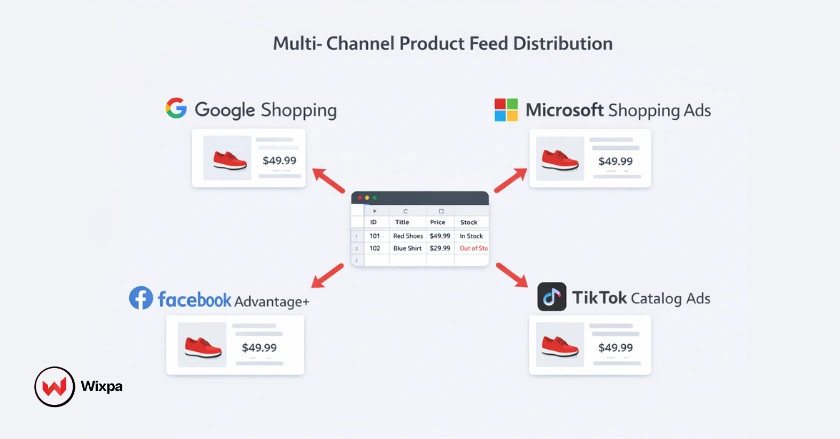
Wixpa Google Shopping Feed is a built-for-Shopify app built specifically for merchants who want to get their products live on Google Shopping, Microsoft Shopping, Bing, Facebook, & TikTok catalog quickly and accurately.
Key strengths:
- Simple, guided setup for Google Merchant Center integration
- Supports all required Google Shopping attributes, including GTINs, product categories, and item IDs
- Real-time product sync so your feed stays current with store changes
- Handles variable products cleanly, including color, size, and other attributes
- Affordable pricing tiers designed for Shopify merchants at different catalog sizes
- Error reporting that flags disapprovals and feed structure issues directly in the app
For Shopify store owners who want a no-fuss, reliable solution for Google Shopping feed management without paying enterprise prices, Wixpa is a strong starting point.
2. Simprosys Google Shopping Feed
Another popular Shopify app with solid support for Google Shopping, Microsoft Shopping, and Facebook catalog feeds. Pricing scales with catalog size and remains accessible for smaller merchants.
3. GoDataFeed (Starter Plans)
The app offers channel templates for Google, Bing, and marketplaces. Better suited for merchants managing feeds across multiple platforms.
4. DataFeedWatch (Entry Plans)
More advanced rule-based optimization features. The learning curve is steeper, but the feed management capabilities are strong for growing brands.
5. Feedonomics
Feedonomics is typically an enterprise tool, but its entry-tier options can work for mid-sized catalogs.
Free Tools Worth Considering
- Google Merchant Center (native) Free, essential, and sufficient for very small catalogs
- Google Sheets feed Works for manual management of small product catalogs
Budget-Friendly Feed Optimization Strategies
Having the right tool is only half the equation. Here’s how to get more from your Google Shopping feed without increasing ad spend:
- Optimize your product titles first. Product titles carry the most weight in Google’s matching algorithm. Lead with the most important keywords: brand, product type, size, and color, and keep titles under 150 characters.
- Use custom labels strategically. Tag your best-sellers, high-margin items, or seasonal products with custom labels so you can apply smarter bidding strategies within your Google Shopping campaigns.
- Write descriptive product descriptions. Google uses descriptions for matching, even if shoppers don’t always see them. Include relevant secondary keywords naturally.
- Keep images clean and high-quality. Products with clear, white-background images tend to earn better click-through rates on Google Shopping SERPs.
- Fix feed errors immediately. Every disapproved product is lost revenue. Check your Merchant Center error reporting weekly.
- Monitor impression share regularly. A low impression share often signals feed quality issues, not just budget constraints.
Does AI Make Feed Management Easier for Budget Users?
AI-powered feed generation and optimization tools are increasingly available at lower price points, and they can make a genuine difference, especially for merchants with large catalogs or limited copywriting resources.
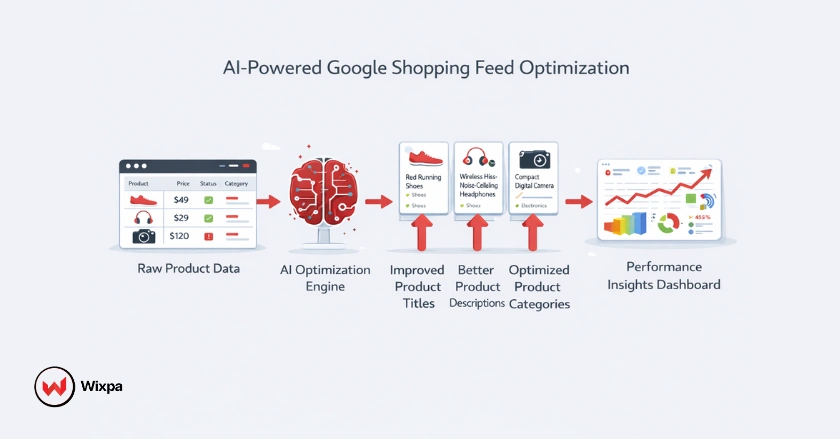
What AI Can Do for Your Feed
- Generate and improve product titles using natural language processing to better match search intent
- Enrich product descriptions for products with thin or incomplete content
- Suggest product categories when attribute mapping is unclear
- Flag underperforming products based on performance data
What AI Can’t Replace?
Human judgment still matters for brand voice, accuracy, and nuance, especially for product descriptions where misleading claims can trigger disapproval. Treat AI as a time-saving assistant, not a hands-off solution.
Most affordable tools now include at least basic AI suggestions. Wixpa and similar Shopify-focused apps are increasingly incorporating these features into their standard plans.
Final Thoughts
You don’t need to outspend competitors to win on Google Shopping. What separates high-performing campaigns from underperforming ones often comes down to feed quality, accurate data, optimized titles, clean images, and real-time syncing.
Start with the free tools if your catalog is small. When you’re ready to scale, Wixpa Google Shopping Feed is a practical, affordable starting point as well as a large enterprise for Shopify merchants.
The merchants who get the best return on ad spend aren’t always those with the biggest budgets; they’re the ones with the cleanest, best-optimized feeds.
FAQ
1. What is a Google Shopping feed tool?
A Google Shopping feed tool is software that helps you create, manage, and optimize the product data file you submit to Google Merchant Center. It automates updates, catches errors, and improves product listing quality to help your Google Shopping ads perform better.
2. How much should I spend on a Google Shopping feed tool?
For most small-to-mid-sized eCommerce businesses, $10–$50/month is a reasonable budget. Many tools in this range offer automated syncing, bulk editing, and error reporting, the core features most growing businesses need.
3. Can I manage a Google Shopping feed for free?
Yes, for small catalogs. Google Merchant Center is free to use, and you can submit a product feed via Google Sheets at no cost. As your catalog grows or your ad spend increases, a paid tool typically offers a better return.
4. What are custom labels in a Google Shopping feed?
Custom labels are optional feed attributes you can assign to products, things like “bestseller,” “high-margin,” or “seasonal.” They let you segment products within your Google Shopping campaigns to apply different bidding strategies to different product groups.
5. Do Google Shopping feed tools work with Microsoft Ads too?
Many do. Tools like Wixpa support multiple channel templates, including Microsoft Shopping (Bing), Facebook Advantage+ Shopping, and TikTok Catalog Ads, allowing you to manage product data feeds for multiple platforms from one place.