
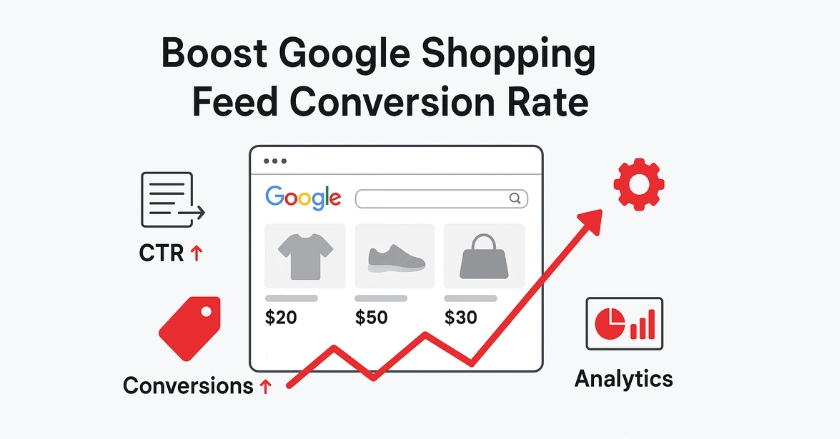
Your Google Shopping feed impacts whether customers click “buy now” or scroll past your products. I’ve managed hundreds of shopping campaigns. I’ve found that optimizing feeds can boost conversion rates by 35% or more. This guide reveals the proven strategies that turn browsers into buyers.
Quick Summary
To improve your Google Shopping feed conversion rate, focus on these key steps:
- Enhance product data quality.
- Align feed attributes with what customers search for.
- Use strategic campaign structures.
- Continuously test performance metrics.
Focus on clear product titles, great images, fair prices, and smooth landing pages. This will help boost conversions from your shopping ads.
What Makes Google Shopping Feeds Convert?
The foundation of high-converting Google Shopping campaigns starts with your product data feed. Your feed is the blueprint for how your products show up on Google’s shopping network.

The Product Data Feed
Your product data feed has all the details Google needs to show your items well. When I started managing shopping campaigns, I noticed missing or wrong product data costing clients thousands in sales. The most critical feed elements include:
- Product titles that match customer search queries exactly
- Product images that showcase items clearly and professionally
- Product categories that align with Google’s taxonomy
- Pricing information that reflects current market rates
Google Merchant Center uses this data to determine when and where your products appear. Poor data quality leads to limited visibility and lower conversion rates.
Mastering Essential Product Attributes for Search & Conversion
Product titles need focus. They affect visibility and click-through rates directly. I’ve seen conversion rates double just by changing product titles. I included the brand, model, key features, and important descriptors.
For example, instead of “Blue Shoes,” use “Nike Air Max 270 Men’s Running Shoes Blue/White Size 10.” This method makes your products show up for specific searches. It also gives customers key purchase details right away.
Product descriptions should complement your titles by addressing common customer questions. Include:
- Material specifications and care instructions
- Size charts and fitting guidance
- Feature highlights that differentiate your products
- Use cases that help customers visualize ownership
Google Merchant Center as Your Feed’s Command Center
Google Merchant Center is where you upload, manage, and optimize your product feed. Regular feed maintenance prevents common issues that hurt conversion rates.
I recommend checking your Merchant Center diagnostics weekly. Common feed errors include missing GTINs, incorrect product categories, and policy violations. These issues can stop your products from showing up in relevant searches. This can greatly lower your chances of making sales.
Monitor your feed’s approval status and address disapprovals immediately. Products stuck in review don’t convert, even if your campaigns are optimized.
Aligning Feeds with Customer Intent
Understanding customer search behavior helps you optimize your feed for higher conversions. Different search queries show different buying intentions, so your feed should reflect this.
Aligning Your Feed with Customer Search Queries and Intent
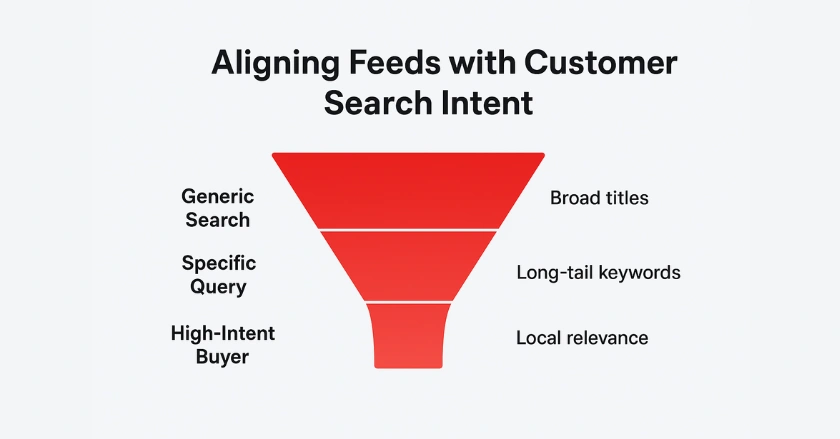
Customer search patterns reveal valuable insights about purchase readiness. Generic searches, such as “running shoes,” show early research stages. In contrast, specific queries like “Nike Air Max 270 size 10 black” indicate a strong intent to buy. Structure your product data to capture both types of searches:
- Broad terms in product categories and types
- Specific descriptors in titles and descriptions
- Long-tail keywords in custom labels and attributes
- Local relevance for customers in your area
Products targeting high-intent searches convert three times better than those using broad keywords. Use negative keywords in your campaigns. They help filter out irrelevant traffic. This saves ad spend and boosts conversions.
Feed Data to Landing Page Conversion
Your product feed creates expectations that your landing pages must fulfill. Mismatches between feed information and actual product pages destroy conversion potential. Common feed-to-page disconnects include:
- Price discrepancies between the feed and the website
- Product availability shows in-stock when sold out
- Image differences that confuse customers
- Feature mismatches in descriptions
Make sure your landing pages continue the shopping experience started by your feed. Page load speed, mobile optimization, and easy purchase paths greatly affect conversion rates from Google Shopping traffic.
What Campaign Strategies Maximize Shopping Conversions?
Campaign structure and bidding strategies influence how your optimized feed data drives conversions. Smart campaign organization amplifies feed optimization efforts.
Structuring Your Campaigns for Conversion-Focused Control
The way you structure your campaign affects how well you can optimize for specific products, audiences, and performance goals. I prefer organizing campaigns by product performance tiers rather than traditional category groupings.
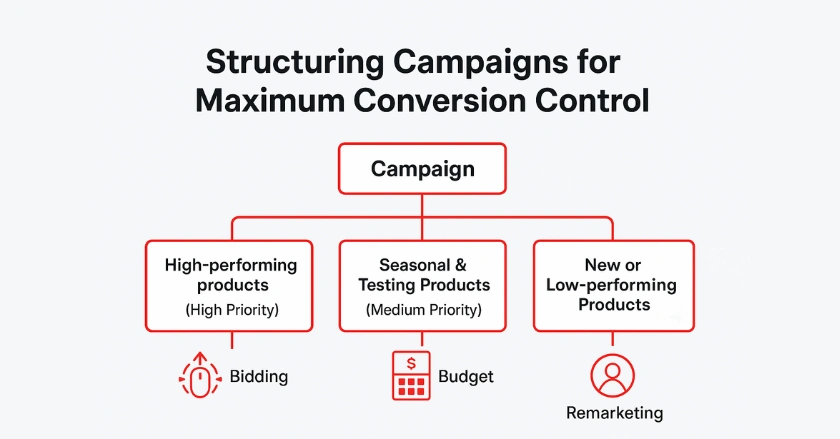
High-performing campaigns should include:
- Top-converting products with aggressive bidding
- Seasonal items with flexible budget allocation
- New products with conservative testing budgets
- Remarketing lists for previous website visitors
Use campaign priorities strategically to control traffic flow. Set your best-performing campaigns to high priority and lower-performing campaigns to low priority. This approach ensures your strongest products capture the most valuable traffic.
Smart Bidding and Automated Bidding
Smart bidding strategies leverage Google’s machine learning to optimize for conversions automatically. Target ROAS bidding works well for established shopping campaigns with enough conversion data. Implementation requires patience and proper setup:
- Conversion tracking must be accurate and comprehensive
- Historical data should span at least 30 days
- Target ROAS should reflect realistic profit margins
- Budget allocation must support automated learning
Manual bidding still has its place for new products or when you need granular control. Begin with manual bids to collect performance data. Once you have enough conversion history, switch to automated bidding.
Remarketing for Last-Mile Conversions
Remarketing campaigns capture users who viewed your products but didn’t complete purchases. These audiences typically convert at 2-3x higher rates than cold traffic. Create remarketing lists for:
- Product page viewers who spent significant time browsing
- Cart abandoners who added items but didn’t purchase
- Previous customers are ready for repeat purchases
- Similar audiences based on your best customers
Dynamic remarketing shows users the exact products they looked at before. This taps into strong psychological triggers, which helps boost conversions. Combine this with special offers or limited-time promotions for maximum effectiveness.
Measuring and Improving Performance
Continuous improvement requires systematic measurement and testing. The most successful shopping campaigns evolve based on data-driven insights rather than assumptions.
Leveraging Data for Actionable Insights
Google Analytics 4 gives better insights into shopping campaign performance. It goes beyond just basic conversion metrics. Track user behavior patterns to identify optimization opportunities. Key metrics to monitor include:
- Conversion paths showing customer journey touchpoints
- Product performance across different traffic sources
- Device-specific conversion rates and behaviors
- Geographic performance for location-based optimization
Set up enhanced e-commerce tracking. This shows you which products provide the best lifetime value, not just quick conversions. This data helps you allocate budgets toward products that generate long-term profitability.
Embracing Automation and Emerging Technologies
Performance Max campaigns represent Google’s push toward automation and AI-driven optimization. These campaigns can access all Google inventory, including Shopping, Search, Display, and YouTube.
Performance Max requires less manual effort. However, success depends on quality feed data and effective asset creation. Create varied ad visuals and engaging product descriptions to boost the automated system’s performance.
Stay informed about emerging features like Google Lens integration and voice search optimization. These technologies change how customers find and engage with your products. So, you need to adapt your feeds to stay competitive.
The Cycle of Optimization
Successful shopping feed optimization follows a continuous cycle of testing and refinement. Small improvements compound over time to create significant conversion rate gains.
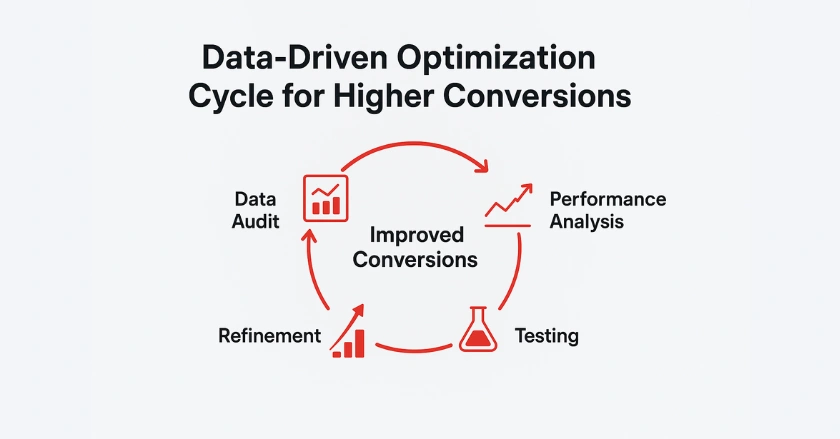
Monthly optimization tasks should include:
- Feed quality audits to identify and fix data issues
- Performance analysis to spot trends and opportunities
- Competitor research to maintain pricing competitiveness
- Landing page testing to improve post-click experience
Track your changes and their effects. This helps build knowledge about what works for your products and audience. Historical data also helps train new team members and scale successful strategies.
Conclusion
Focus on details to boost your Google Shopping feed conversion rate. Plan well and keep optimizing. Create clear and detailed product data. This should match what customers are searching for and help them buy easily.
Begin with the basics of feed quality. Then, add advanced campaign strategies and automated bidding. Remember that conversion optimization is an ongoing process, not a one-time setup. Whether you’re running campaigns in the office or with remote teams, these principles will bring clear results.
Successful businesses on Google Shopping see their product feeds as key assets. They invest time and resources to keep them updated and effective. Your focus on feed optimization will boost conversion rates and increase profits.
FAQs
1. What is a good conversion rate for Google Shopping feeds?
A good Google Shopping conversion rate typically ranges between 1% and 3%, depending on your product category and pricing strategy. Focus on improving your own baseline through feed optimization, accurate pricing, and better product images instead of only comparing to industry averages.
2. How can I improve my Google Shopping feed conversion rate?
Improve your conversion rate by optimizing product data, using high-quality images, writing keyword-rich titles, and ensuring price and stock accuracy. Align your feed with customer intent, test bidding strategies like Target ROAS, and keep landing pages consistent with your feed data.
3. How often should I update my Google Shopping feed?
Update your Google Shopping feed at least once per day to ensure accurate product pricing and availability. If your inventory changes frequently, use real-time or multiple daily updates through the Content API or a feed management tool to avoid disapprovals or mismatched data.
4. How can I use automation to boost Google Shopping conversions?
Leverage Smart Bidding (like Target ROAS or Maximize Conversions) and Performance Max campaigns to let Google’s AI adjust bids for high-intent shoppers. Automated tools ensure consistent optimization, freeing you to focus on strategy and creative improvements that drive more conversions.
5. What tools help optimize Google Shopping feeds for better conversions?
You can use feed automation apps like Wixpa Google Shopping Feeds to sync accurate product data, automate updates, and fix feed errors instantly. These tools improve data quality, reduce disapprovals, and help boost conversion rates across your Google Shopping campaigns.