Want to expand your e-commerce store globally but are unsure how to connect with customers in their language? Setting up a Google Shopping feed multi-language strategy is crucial. It helps you reach a global audience and increases your international sales. This guide will walk you through everything you need to know.
Quick Summary
To succeed with multi-language Google Shopping feeds, first, set up your Google Merchant Center. You can either use one account with extra feeds or set up different accounts for each region. Localize your product data, including titles and descriptions, for cultural relevance. Make sure your landing pages use the same language and currency as your ads. Also, set up correct shipping and tax settings for each country you target.
What is the Google International Shopping Ecosystem?
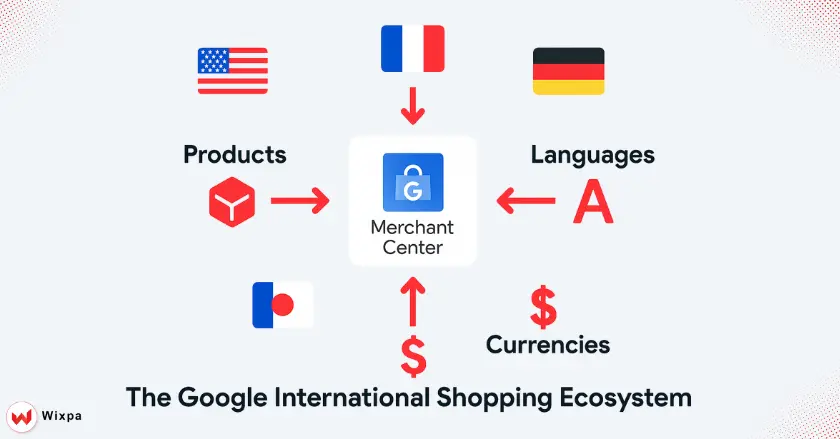
To sell across borders, you need to know the tools Google offers. This ecosystem provides a straightforward way to manage products, currencies, and languages. Your items stay visible to shoppers, no matter where they are.
Google Merchant Center
Think of your Google Merchant Center account as the home base for all your product data. Upload, store, and manage the information that drives your Google Shopping ads here. For international sales, decide which countries and languages to target. This approach guarantees that your products display correctly for different audiences.
Language, Target Country, and Currency
To go global, you must get these three elements right:
- The language that writes your product data. This should be the native language of the customers you’re targeting.
- Target Country: The country that will sell and ship your products. This determines who sees your ads.
- Currency: The currency that displays your product prices. This must match the currency of the target country.
The Role of Product Feeds in International Expansion
A product feed is a file that holds key details about your products. It includes titles, descriptions, prices, and images. For international selling, create product feeds for each language and country. This ensures your Google Shopping ads fit well and matter in each market you enter.
Architecting Your Multi-Language Google Merchant Center Setup
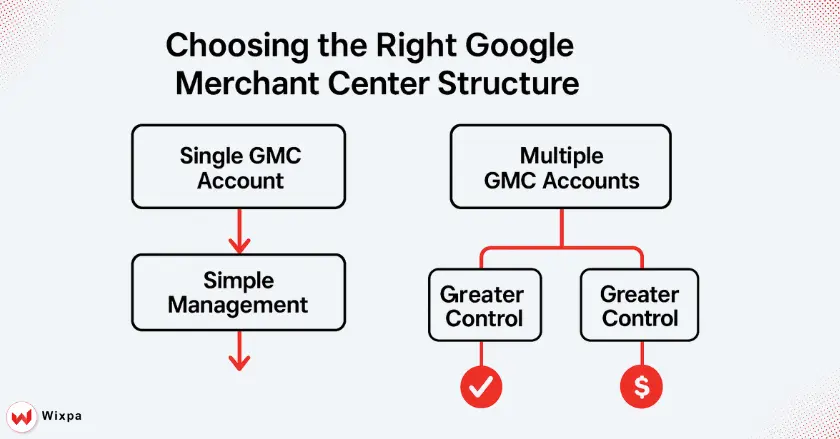
Setting up your Google Merchant Center right from the beginning is key. It helps you manage your international operations with ease. Your choice will depend on the scale of your business and how many regions you plan to target.
How do I choose the right structure?
- Single Google Merchant Center Account: This approach is simpler to manage. You have one main feed for your primary language. Then, you can create extra feeds to add or change product data for other languages and regions. It’s a great starting point for those new to international sales.
- Many Google Merchant Center Accounts: If you run different businesses or large operations in various countries, set up separate accounts for each region. This gives you better control over settings, but it takes more effort to manage.
Creating Primary and Supplemental Product Feeds
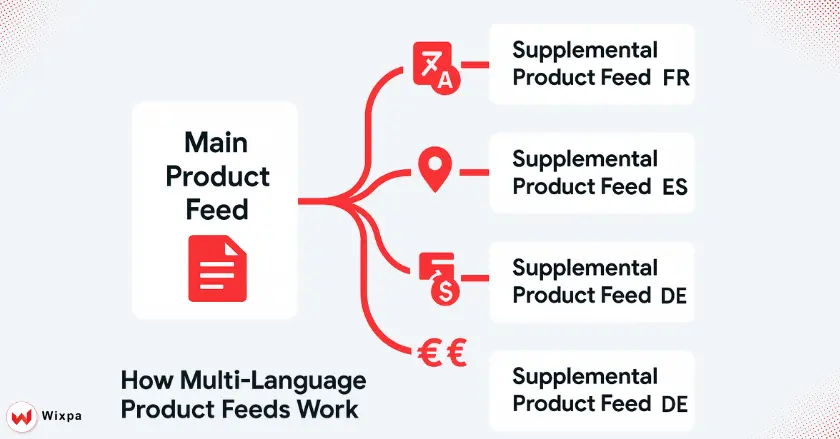
For each new region, you’ll need a dedicated product feed. You can make a new primary feed for each language. Or, you can use a supplemental feed for localized translations. The supplemental feed matches the product ID to your main feed. Then, it adds translated content, such as localized product titles.
How do I connect feeds to localized landing pages?
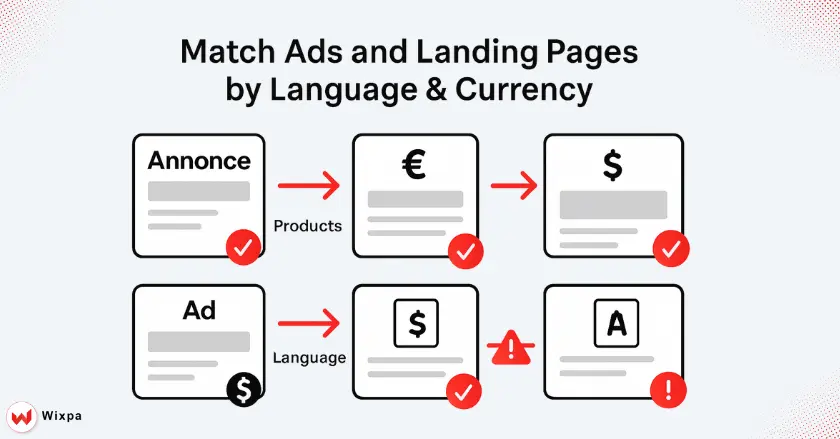
A seamless user experience is non-negotiable. When a shopper clicks your ad, the landing page they arrive at must match the ad’s language and currency. A disconnect can cause high bounce rates and lost sales, whether in Sydney or Stockholm.
Consistent Language and Currency
- When a user clicks a French ad that shows prices in euros, the landing page should be in French and also show prices in euros.
- This consistency builds trust and makes the path to buy smoothly.
- Many e-commerce platforms, such as Shopify with Shopify Markets, can automate this process. This helps your storefront change based on the user’s location.
- Use secure HTTPS connections on your landing pages. This protects customer data and builds trust.
Pro Tips for Multi-Language Feeds
- Localize, don’t translate: Go beyond direct translation for product descriptions. Consider cultural differences, local slang, and regional tastes. They help you connect with audiences worldwide and make your Google Shopping feed multi language setup more effective.
- Use Custom Labels: Segment your Google Shopping campaigns by country or language. You can do this with custom labels in your product data. This allows you to set different bids and budgets for each market.
- Automate When You Can: Use feed management apps or Google Sheets with an add-on to update feeds without manual input. It saves time and lowers the chance of human error, especially when managing a google shopping feed multi language setup.
- Check Diagnostics: Regularly check the Diagnostics tab in your Google Merchant Center account. It will alert you to any errors or policy violations in your feeds, allowing you to fix them without delay.
Final Thoughts
Expanding your e-commerce business globally is exciting. Your Google Shopping feed is the key to that growth. Set up a multi-language feed right. This helps you reach new customers, improve user experience, and boost global growth. Start with one new country, learn the process, and then scale your efforts.
FAQ
1. What is a Google Shopping feed for multilingual stores?
It’s a product data file. It displays your products in various languages and currencies for global customers. You can run Google Shopping ads in shoppers’ native language.
2. Why is localization important for my product feed?
Localization goes beyond simple translation. Update your product titles, descriptions, and images to fit your audience’s culture. This can greatly boost ad performance and conversion rates.
3. Can I use one Google Merchant Center account for multiple languages?
Yes, you can use a single Google Merchant Center account. Use a primary feed for your main language. Then, use supplemental feeds for translated product data in other languages.
4. How do I handle currency conversion in Google Shopping?
Google Merchant Center can automatically convert your prices to the local currency of the target country. For the best user experience, show the same currency on your landing page.
What tools can help manage multilingual feeds?
You can use dedicated feed management apps from the Shopify App Store. For smaller catalogs, try Google Sheets with an add-on. You can choose automated feed solutions. They connect directly to your e-commerce platform.