

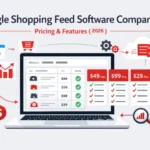
Finding the best Google Shopping feed software comparison can feel overwhelming, but it’s the most critical step in ensuring your products actually reach the customers searching for them. This guide breaks down the top tools, pricing models, and essential features to help you maximize your e-commerce ROI.
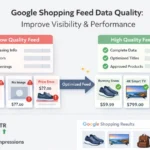
When your product data is messy or incomplete, Google Merchant Center rejects it, meaning your ads simply don’t show up. The right software automates this process, fixes errors instantly, and optimizes your listings so you stop wasting ad spend on clicks that don’t convert. Are you ready to see which tool offers the best value for your business?
Quick Summary
- Best Overall: Wixpa offers a superior balance of AI-driven optimization, fair pricing, and robust features.
- Why You Need It: Manual feeds lead to disapproval and wasted budget; automation ensures accuracy and scalability.
- Key Feature: Look for “delta feeds” (updates only change data) to keep inventory in sync in real time without lagging.
- Hidden Cost Alert: Watch out for SKU limits and “percentage of ad spend” pricing models that punish your growth.
What is Google Shopping Feed Software and Why Does it Matter?
Google Shopping feed software is a specialized tool that acts as a bridge between your e-commerce store (like Shopify, Magento, or WooCommerce) and advertising platforms like Google Merchant Center. Instead of you manually updating a spreadsheet every time a price changes or stock runs out, this software automates the data flow.
Why does this matter? Google requires specific formatting for product attributes like titles, GTINs, and shipping information. If your data doesn’t match their strict requirements, your products get disapproved. A dedicated tool ensures your product data feeds are clean, compliant, and optimized, which directly impacts your ad performance and visibility on the Shopping tab.
Why is a Dedicated Tool Crucial for E-commerce Growth?
As you scale, managing product feeds manually becomes impossible. A dedicated tool is crucial because it allows you to manage thousands of SKUs across multiple sales channels without hiring a team of developers. Here is why manual management fails at scale:
- Human Errors: Typos in pricing or broken links can lead to account suspensions.
- Time Drain: Manually mapping categories for Google, Facebook, and Bing takes hours.
- Lost Revenue: If a product goes out of stock but the ad keeps running, you are paying for dead clicks.
What Are the Essential Features of Feed Software?
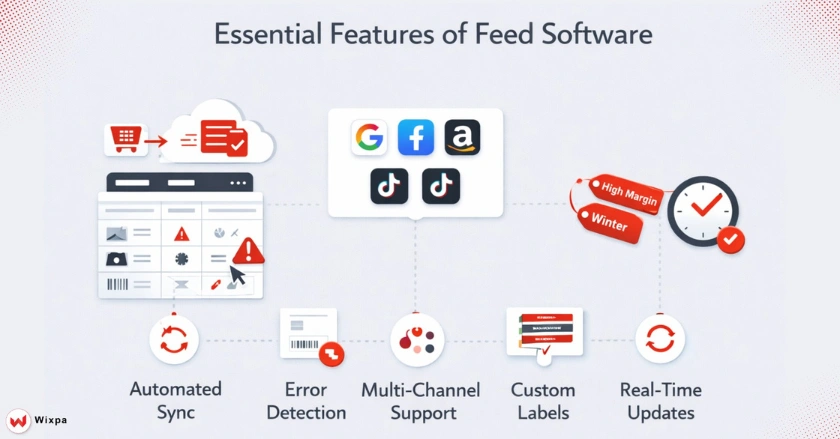
When evaluating a Google Shopping feed software comparison, you shouldn’t just look at the price tag. The core value lies in specific features that save time and make you money.
1. Automated Feed Generation & Synchronization
Your software must automatically pull data from your store and push it to Google. Look for tools that support “delta feeds.” This means the system only updates the products that have changed (like a price drop or stock change) rather than reloading the entire catalog, which is much faster and reduces server load.
2. Robust Error Detection and Resolution
The best tools proactively scan for errors before the data hits Google Merchant Center. They should flag issues like “missing GTIN” or “title too long” and offer bulk-fix options. This prevents the dreaded “disapproved” status that kills campaign momentum.
3. Multi-Channel Support and International Reach
Most businesses don’t just sell on Google. You need a tool that can simultaneously format your data for Facebook Shopping, Bing Shopping, Pinterest Shopping, and even TikTok. Furthermore, if you sell globally, the tool must handle currency conversion and language localization automatically.
4. Integration with Google Ads and Performance Max Campaigns
Modern feed tools don’t just send data; they help structure it for Performance Max campaigns. By allowing you to create custom labels (e.g., “Best Sellers,” “Low Margin”), you can segment your Google Ads campaigns more effectively, bidding higher on high-ROI products and lower on clearance items.
How Do Pricing Models Differ Among Top Tools?
Understanding the pricing structure is arguably the most confusing part of selecting feed software. There is rarely a “one size fits all” cost.
Common Pricing Structures
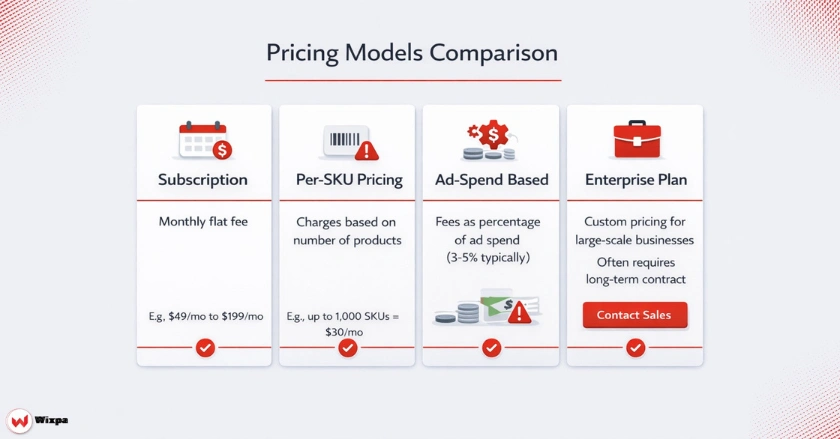
- Subscription: A flat monthly fee based on a tier of features.
- Per-Product/SKU: You pay based on how many products are in your catalog (e.g., up to 1,000 SKUs is $30/mo, up to 5,000 is $100/mo).
- Ad Spend-Based: Some enterprise tools charge a percentage of your total ad spend managed through the platform.
- Sales Commission: A small percentage of revenue generated from the feed (less common but exists).
Potential Hidden Costs to Watch Out For
Always check the fine print for overage charges. If you have a seasonal spike and your SKU count jumps over your plan’s limit, some providers will automatically upgrade you to a much more expensive tier. Additionally, “premium support” or “assisted onboarding” often comes with hefty one-time setup fees.
Leading Google Shopping Feed Software Compared
Here is a breakdown of the top players in the market, highlighting their standout features and general pricing approach.
1. Wixpa
Wixpa is rapidly emerging as the top software for businesses that want enterprise-level features without the enterprise price tag. It excels in AI-driven optimization and user-friendly interfaces.
- Best For: Small to large businesses looking for ROI.
- Key Features: Automated rule-based mapping, AI-enhanced title optimization, and seamless multi-channel integration.
- Pricing: Very affordable, starting at just a few dollars per month for small stores.
2. DataFeedWatch
A popular choice for agencies due to its highly customizable “if-then” rules.
- Best For: Digital marketing agencies managing multiple clients.
- Key Features: Analytics dashboard that tracks product-level performance.
- Pricing: Starts around $64/mo, scaling with product count.
3. Channable
Known for its integrated PPC automation tool, allowing you to build text ads based on feed data.
- Best For: European markets and users wanting combined feed and PPC management.
- Key Features: Dynamic image editor and order synchronization.
- Pricing: Modular pricing; you pay extra for the “PPC tool” add-on.
4. Feedonomics
The enterprise heavyweight. They offer a “full-service” approach where their team manages the feed for you.
- Best For: Massive global brands with complex, messy data.
- Key Features: 24/7 support team that fixes errors for you.
- Pricing: Custom enterprise pricing (often expensive and contract-based).
5. Simprosys Google Shopping Feed
The go-to specific app for Shopify users. It is simple, effective, and deeply integrated with Shopify.
- Best For: Shopify store owners on a budget.
- Key Features: straightforward interface, API connections to Google.
- Pricing: Competitive monthly subscription based on SKU count, with no hidden ad-spend fees.
How Should You Choose the Right Software?
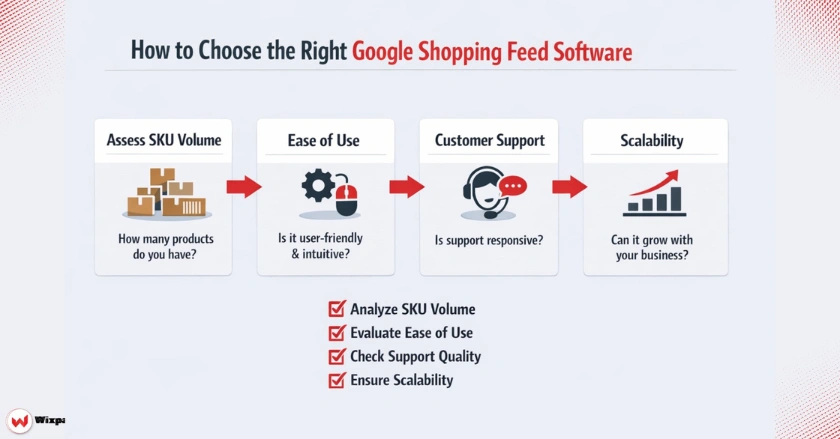
While choosing the software for your shopping feed, keep in mind the following points:
Assessing Your Business Volume
If you have under 50 SKUs, a simple plugin or manual sheet might suffice. If you have 50,000 SKUs, you need a tool like Wixpa or Feedonomics that can process bulk changes without crashing.
Ease of Use vs. Advanced Customization
Do you have a developer on your team? If not, avoid tools that require RegEx coding to fix titles. Look for “no-code” rule builders where you can simply drag and drop attributes to optimize your product titles.
Customer Support and Scalability
When not if Google updates its policies (like the recent changes to EU antitrust rules), you need a support team that can explain how to stay compliant. Ensure the software offers chat or email support in your time zone, whether you are in New York or London.
Pro Tips for Feed Management
Optimize Titles First: Put the most important keywords at the start of the product title (e.g., “Nike Running Shoes Men’s Size 10” vs “Size 10 Shoes”).
Use Custom Labels: Tag products by margin (High/Low) or seasonality (Winter/Summer) to give you better control over bidding strategies in Google Ads.
Check for Warnings: Don’t just look for “Disapproved” items. Look for “Warnings” in Merchant Center. These items are running but have lower quality scores, costing you more per click.
Final Thoughts
Investing in the right Google Shopping feed software is not an expense; it is a revenue generator. By automating the mundane tasks and optimizing your data, you free up time to focus on strategy. Whether you choose a robust all-rounder like Wixpa or an enterprise solution, the goal remains the same: getting the right product in front of the right customer at the right time.
FAQs
1. What is the best free Google Shopping feed software?
For small Shopify stores, the “Google & YouTube” channel app is a free entry point. However, it lacks optimization features. Most robust tools like Wixpa Google Shopping Feed offer a free trial but require a subscription for advanced rules and error fixing.
2. How often should my product feed update?
Ideally, your feed should update immediately when inventory changes to avoid selling out-of-stock items. At a minimum, choose software that updates daily. High-volume stores should look for hourly or real-time API syncs.
3. Does feed software help with SEO?
Indirectly, yes. By optimizing product titles and descriptions for Google Shopping, you are essentially performing SEO on your product data. This helps your products surface for more relevant search queries on Google.
4. Can I manage feeds for Facebook and Amazon with these tools?
Yes, most top-tier tools like Wixpa, DataFeedWatch, and Channable support “omnichannel” selling. They take your source data and reformat it to meet the specific requirements of Facebook, Amazon, Pinterest, and more.
5. What is the difference between a feed tool and Google Merchant Center?
Google Merchant Center is the destination where data lives. Feed software is the processor that cleans, formats, and sends the data there. Think of Merchant Center as the mailbox and the feed software as the letter-writing assistant.



3 Comments
Laiba Irshad
December 27, 2025I appreciate the real-world examples you included — they made the concept click.
Laiba Irshad
December 31, 2025Thank you! I’m glad the examples helped clarify the concept.
Laiba Irshad
January 1, 2026Thank you! I’m glad the examples helped make the concept clearer.