
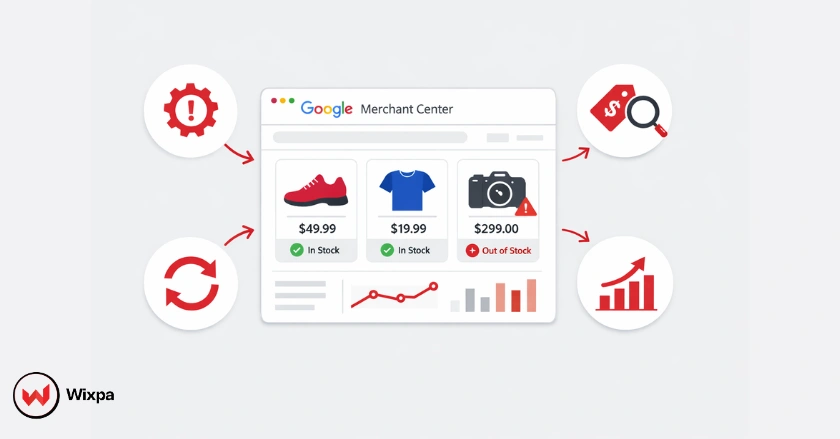
Google Shopping feed maintenance is the ongoing process of updating, validating, and optimizing product data inside Google Merchant Center to ensure accuracy, compliance, and performance. It includes correcting feed errors, syncing inventory in real time, refining product titles for search relevance, and aligning pricing with landing pages.
If your feed isn’t actively maintained, you’re likely wasting ad spend. Outdated prices, incorrect availability, or missing attributes can lead to disapproved products or worse, account suspension. Whether you’re managing a local store or a global e-commerce catalog, an optimized feed ensures your ads appear for the right shoppers at the right time.
Quick Summary
- Daily feed checks prevent account suspensions by catching pricing, availability, and policy issues early.
- Accurate product data improves conversions, especially when feed pricing matches landing pages.
- Optimized titles and images increase CTR by aligning with real search behavior.
- Automation improves scalability, but strategic human oversight ensures long-term ROAS growth.
What Are Google Shopping Feed Dynamics?
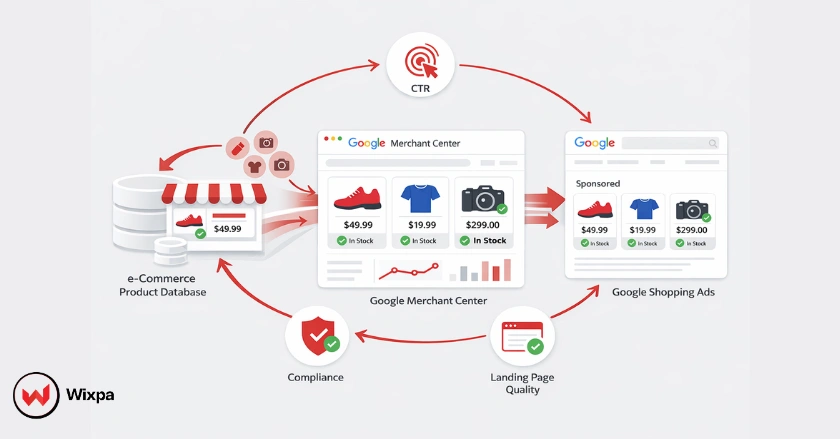
A Google Shopping feed is the digital lifeline of your e-commerce campaigns, acting as a translator between your store’s inventory and Google’s advertising platform. It isn’t just a static list; it’s a dynamic ecosystem that requires constant attention to function correctly.
Google continuously evaluates feed quality using signals from your product data, landing pages, historical compliance, and user engagement metrics such as CTR and conversion rate.
Why “Set It and Forget It” Fails
Many store owners treat their feed as a one-time setup. This is a mistake. Inventory changes, prices fluctuate, and Google updates its policies frequently. Neglect leads to lost revenue and disapproval because Google prioritizes user experience; if your ad says “in stock” but your site says “sold out,” Google will penalize you.
Impact on Performance and Components
The quality of your product data dictates your ad performance. High-quality images and accurate Global Trade Item Numbers (GTINs) help Google match your products to the right search terms.
How Do I Establish a Maintenance Routine?
Establishing a maintenance routine requires a proactive framework that splits tasks by urgency and impact. You need a schedule that catches fire-drills immediately while leaving room for strategic growth work.
Daily Checks
- Real-time data sync: Ensure your inventory management system is pushing updates to the Merchant Center.
- Error resolution: Log in to check for “red” critical errors or account warnings.
Stores with frequent price changes should use the Google Content API to push updates multiple times per day instead of scheduled fetches.
Weekly Deep Dives
- Identify opportunities: Look for products with high impressions but low clicks. Your images or titles might need work.
- Sustaining quality: Check that new products added to your store have imported correctly with all attributes.
Monthly/Quarterly Audits
- Strategic health checks: Review your competitive landscape. Are your prices still competitive?
- Growth opportunities: Analyze if you should expand into new Google surfaces or utilize Local Inventory Ads.
Which Data Points Matter Most?
Your feed relies on specific core pillars of product data to trigger the algorithm correctly. If these attributes are missing or weak, your products simply won’t show up for relevant queries. Google Shopping visibility depends on how accurately your feed communicates product identity, relevance, and trust signals.
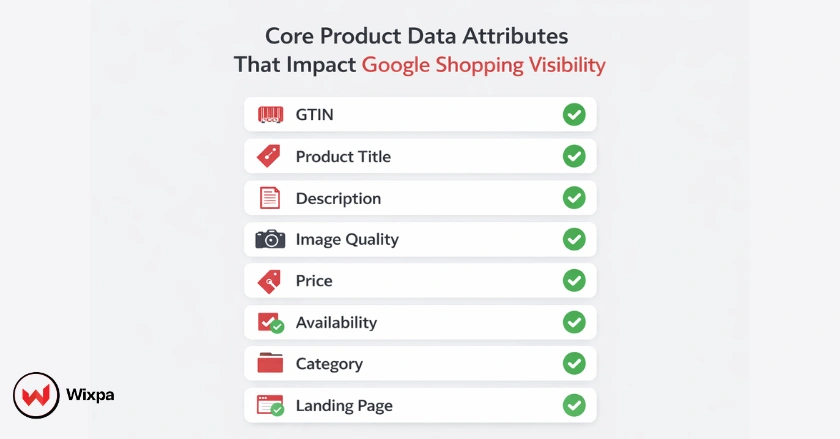
- Product Identifiers: GTINs and MPNs must be accurate. These are the “social security numbers” of your products.
- Product Titles & Descriptions: Front-load important keywords (Brand + Product Type + Color + Size).
- Product Images: Use high-quality visuals on a white background. No watermarks or text overlays.
- Pricing & Availability: This must match your landing page exactly to avoid policy violations.
- Product Categorization: Use the correct Google Product Category ID to help Google understand what you are selling.
- Landing Pages: Ensure a seamless user experience where the checkout process is intuitive.
How Can I Use Advanced Google Shopping Feed Maintenance Strategies?
Advanced maintenance moves beyond just “fixing errors” and focuses on leveraging data for better return on ad spend (ROAS). This is where you separate yourself from competitors who do the bare minimum.
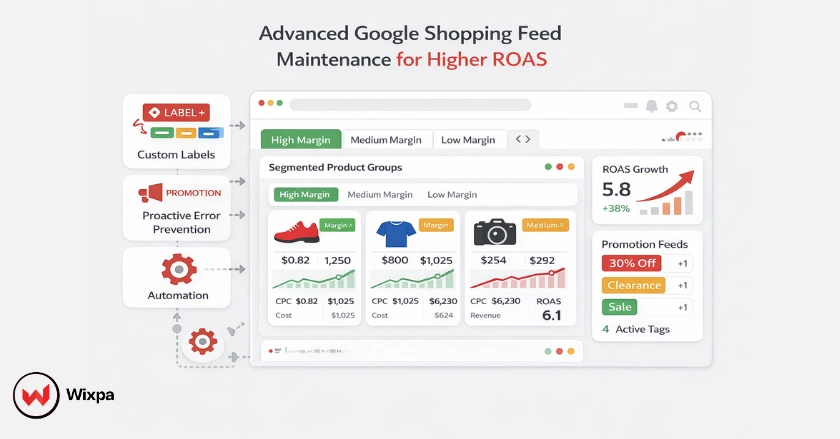
1. Leveraging Custom Labels
Use custom labels to segment your products for granular bidding. Group items by “Best Sellers,” “Clearance,” or “High Margin.” This allows you to bid aggressively on winners and pull back on low-profit items.
2. Proactive Management
Use feed management tools such as Wixpa Google Shopping Feed to automate rules that exclude low-stock items, broken images, or non-compliant products before they trigger disapprovals.
3. Integrating Promotions
Utilize the Google Promotions Feed to highlight special offers (like “Free Shipping” or “20% Off”). These annotations make your ads stand out in the crowded shopping carousel.
Strategic Growth
To ensure long-term growth, align your feed strategy with your broader marketing goals. As your catalog grows, manual uploads become increasingly impossible, necessitating API integrations or the use of third-party software like Wixpa.
This is especially important for businesses targeting regional markets, where local pricing, availability, and fulfillment expectations directly impact ad eligibility.
- Scaling Maintenance: For catalogs over 500 items, automate your workflows.
- Alignment: If you are running a sitewide sale, ensure your feed updates immediately to reflect those changes.
- Adapting to Updates: Stay Ahead of Algorithm Changes. For example, Google AI Mode and Performance Max campaigns rely heavily on high-quality assets.
Pro Tips
- Don’t ignore warnings: Yellow warnings in Merchant Center often turn into Red disapprovals if left unchecked.
- Monitor policy updates: Google frequently updates Shopping policies, and even compliant feeds can break if requirements change.
- Back up your data: Always keep a raw copy of your product data before making bulk edits using rules.
- Local SEO: If you have a physical store, whether in Chicago or a small town, use Local Inventory Ads to drive foot traffic.
Conclusion
Google Shopping feed maintenance is not a one-time task; it’s a continuous performance lever. Brands that actively monitor, optimize, and adapt their feeds gain higher visibility, stronger ad relevance, and improved return on ad spend.
By treating feed maintenance as a growth strategy rather than a technical chore, you future-proof your Shopping campaigns against errors, suspensions, and algorithm changes.
FAQs
1. How often should I update my Google Shopping feed?
You should update your feed at least daily. However, for stores with high turnover or frequent price changes, frequent updates (multiple times a day) via Content API are recommended to ensure accuracy.
2. What causes Google Merchant Center suspensions?
Common causes include misrepresentation (the price on ad doesn’t match landing page), missing contact information, insecure checkout processes, or selling prohibited goods.
3. How do I optimize product titles for Google Shopping?
Structure your titles to match user search behavior. A good formula is: Brand + Product Type + Attributes (Color, Size, Material). Put the most important information first.
4. What are custom labels in Google Shopping?
Custom labels are optional attributes (numbered 0-4) that allow you to group products in your ad campaigns. You can use them for seasons, profit margins, or shipping tiers.
5. Can I use the same feed for Microsoft Ads?
Yes, mostly. Microsoft Advertising allows you to import your Google Shopping feed, though you may need to make minor adjustments to ensure all attributes map correctly.
6. How can I automate Google Shopping feed maintenance without risking errors?
Automated feed tools like Wixpa Google Shopping Feed help maintain accurate product data, reduce errors, and keep Google Merchant Center feeds compliant with minimal manual effort.